DualSense
Hardware testedUSB and Bluetooth. Live input, Xbox output, lights and rumble.
ZeroPad
Controller tools by Checkpoint Zero
Windows app · Free & open source
Your favourite controller, ready for PC games. Give your PlayStation pad Xbox compatibility, then tune the buttons, sticks, lights and rumble to feel right.
Windows 10/11 · x64v0.2.5No account needed
Get into the game
Xbox compatibility for PlayStation pads
Yours, without a subscription
Free software. Local profiles. No sign-in.
Plug in or pair up
USB and Bluetooth support
Inside ZeroPad
The controls you need, with a live view of what they do. No digging through configuration files.
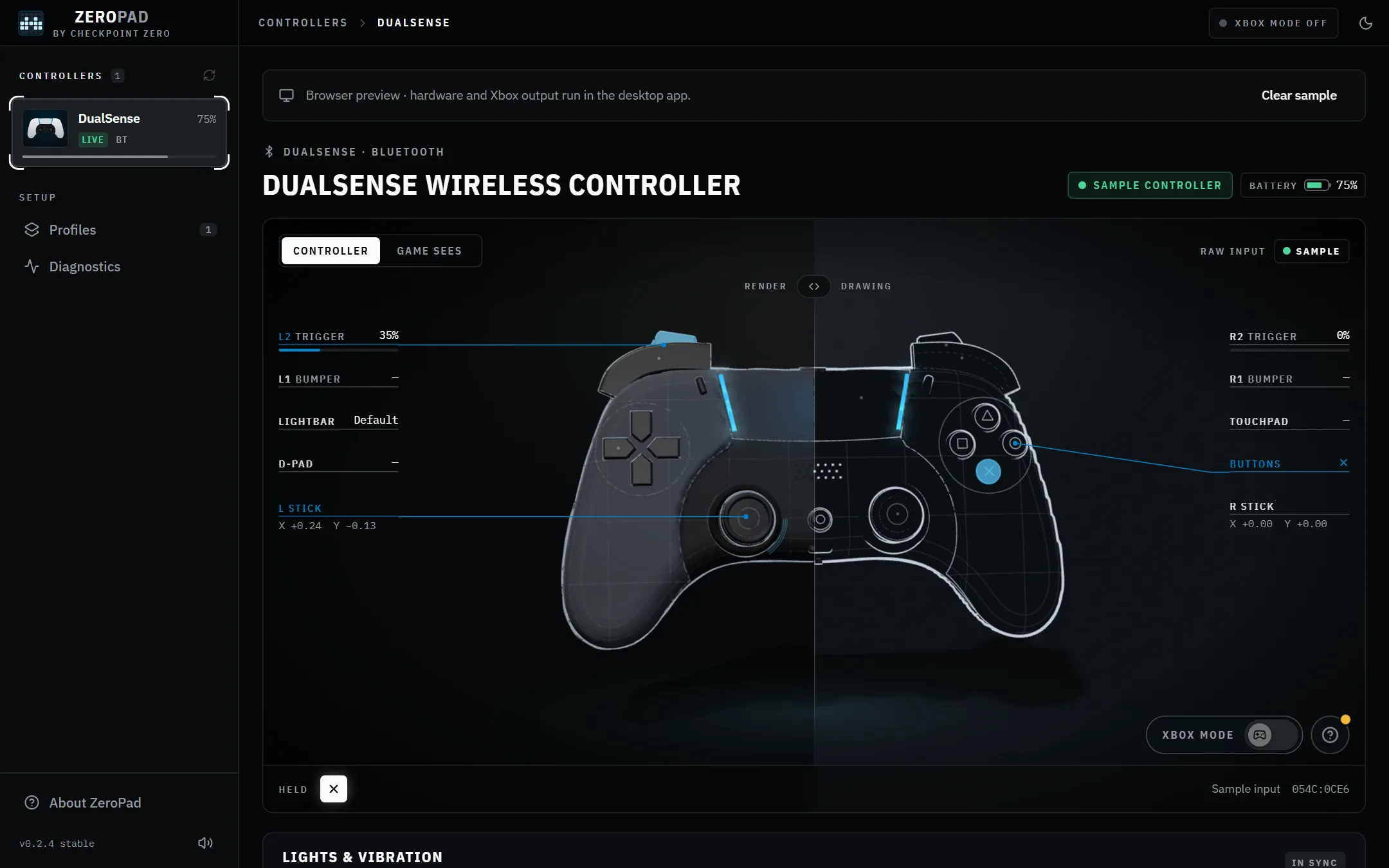
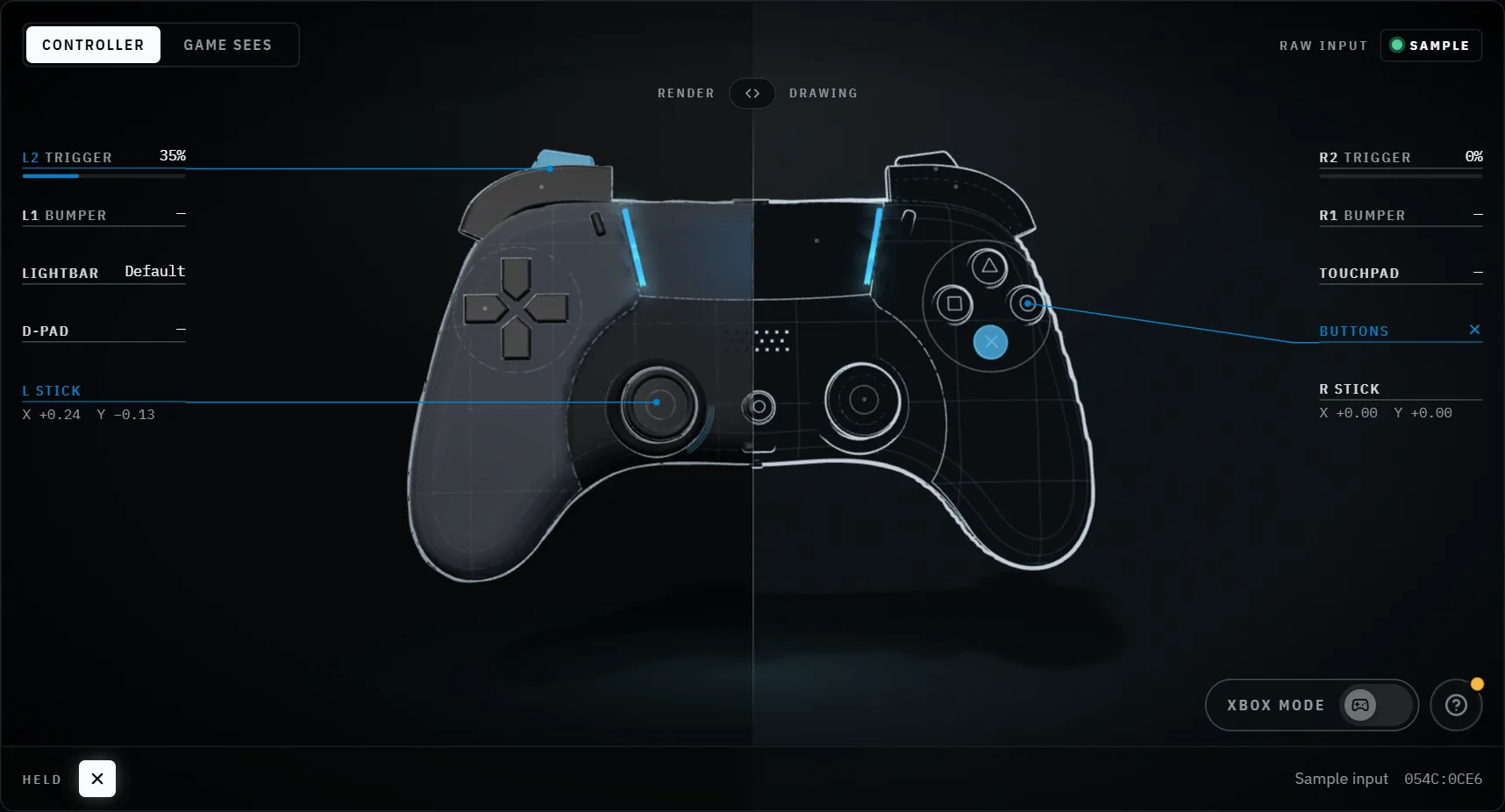
Watch buttons, sticks and triggers respond live. Check your battery and charging state without leaving the app.
Controller support
DualSense is hardware tested. More controller adapters are included, with wider physical testing still underway.
USB and Bluetooth. Live input, Xbox output, lights and rumble.
Standard DualSense controls. Extra paddles and function buttons are not mapped yet.
Official Sony v1 and v2 over USB or Bluetooth. Lights, battery and rumble are implemented.
Physical Xbox-family controllers through Windows GameInput. Profiles and supported rumble.
Features depend on the controller and connection. Xbox-compatible pads need XInput mode and Windows GameInput. Adaptive triggers, advanced haptics and gyro mapping are planned.
Get started
The installer includes WebView2 and the Xbox-mode driver wizard. You choose whether to install the driver.
Run the Windows installer. If you need Xbox mode, open the bundled ViGEmBus driver wizard and approve its installation.
MIT licensed, by Checkpoint Zero. Read the code, share a controller report, or help shape the next release.
ZeroPad 0.2.5 · Windows x64 · Free & open source
Use a USB data cable or pair it in Windows Bluetooth settings. Close other controller emulators before starting ZeroPad.
For games that need it, turn on Xbox controller mode before launching the game. Keep ZeroPad open while you play.
Turn on Xbox mode first, then restart the game. Diagnostics shows whether the driver and virtual output are ready.
Close other controller tools and check Steam Input. If you use HidHide, allow ZeroPad before hiding your physical controller.
In-app updates are signature verified and ask before installing. The installer is not yet Windows code signed, so Windows may show an unknown-publisher warning.
Xbox mode uses ViGEmBus, a retired third-party driver offered during setup. Approve its installation only when you want Xbox output. Restart Windows if the driver wizard asks.
A living home for indie games: dev logs, player feedback, reviews, studios, and the community around everything being built.